
585.204.6770
sale@sanblueplastics.com
Your Source for Trays!
Choosing a Cable Direct Attach solution in 2026 is not just a matter of matching connector shapes. The right cable must support the required data rate, link distance, port type, and operating environment. A short connection inside a rack may suit a passive DAC, while longer runs or stricter signal requirements may call for an active cable. Check the equipment’s compatibility list, too. A cable can fit physically and still fail to work as expected.
A practical selection rule for this guide is: “Match the cable to both ends of the link, then verify reach, speed, and power before ordering.” This is an original editorial line, not a verified quotation from a named industry expert; no source was provided to confirm an expert’s exact words. Add a verified expert attribution before publication if a sourced quotation is required.
Small details matter. Read the switch and server specifications, confirm the supported cable length, and check whether the ports require a particular coding or power profile. Compare the total cost with fiber, especially when links may change later. That part is easy to overlook. Even careful buyers can miss a compatibility note buried in a datasheet. This guide explains how to assess cable type, distance, speed, and compatibility, while leaving room to question assumptions when product documentation is incomplete.
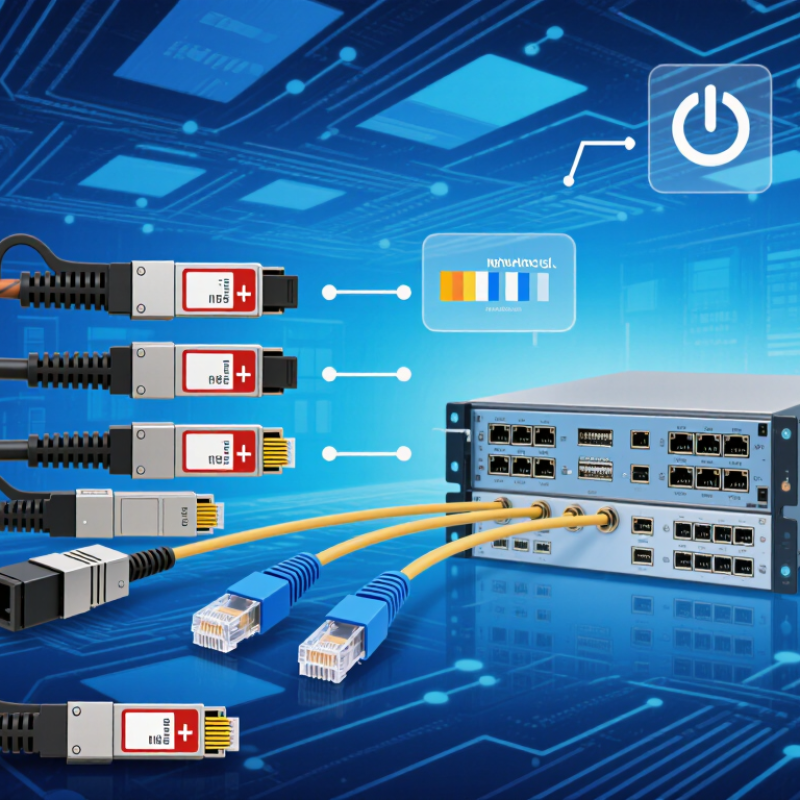
Direct Attach Cables connect network or storage ports over a short copper link, with transceivers fixed to both ends. They are commonly used between switches, servers, and storage systems inside a rack. One cable, two endpoints. Compared with separate optics and fiber, a DAC can simplify a short connection and reduce the number of components to manage.
The key choice is not just cable length. Confirm that both devices support the same data rate and cable type, then check whether the run needs passive or active DAC construction. Passive cables suit many short links; active versions can support longer reaches but include signal-conditioning electronics. A cable that fits physically may still fail to establish a link. Check device documentation and compatibility lists, and allow for the cable’s stated reach rather than measuring only the straight-line gap between ports.
Consider the rack itself. A thick cable may crowd neighboring ports, block airflow, or resist a tight bend behind a server. Measure the route with enough slack for service, but avoid coils that obstruct access. This detail is easy to overlook. A tidy layout can still be poorly planned if technicians must pull adjacent cables to replace one device. Cable labels and a simple port map help, though they need updating when equipment moves. In real installations, those records can lag behind the hardware.
Choosing a direct attach cable starts with the link’s actual data rate, not the largest number on a product label. Check the switch and server port specifications, including supported speeds and connector type. A 100-gigabit link may require a different cable configuration from a 25-gigabit link. Confirm breakout needs too: one switch port may connect to several lower-speed server ports. Small mismatch. The cable cannot negotiate its way around incompatible hardware.
Distance matters just as much. Measure the route through the rack, including slack for service and airflow. Passive copper DACs are generally suited to short connections; active copper options can support longer runs, subject to device and cable specifications. Verify the supported reach at the target speed instead of relying on a broad rule of thumb. A spreadsheet can say the cable fits; the rack often disagrees. Also consider port power limits, cable thickness, bend radius, and how often equipment will be moved. A crowded rear panel can turn a tidy plan into a difficult installation.
For stable network design, match each cable to the role of its link. Storage traffic may need predictable bandwidth and low latency, while a management connection may have modest throughput needs. Check the equipment compatibility list and test representative links before ordering at scale. Keep cable lengths consistent where practical, but avoid excess slack that blocks neighboring ports. Requirements change. Revisit the plan when speeds, rack layouts, or server connections change.
Typical planning reach for passive copper DAC links by Ethernet link speed
Higher-speed passive DAC links generally have shorter practical reach. These values are indicative planning estimates, not guaranteed limits; supported distance depends on the cable, port, and Ethernet standard. Check device specifications, and consider active copper or optical cabling when a longer link is needed.
Before buying a direct attach cable, match both ends—not just the connector shape. Check each port’s form factor, supported data rate, lane configuration, and required cable type. A QSFP port and a visually similar connector do not guarantee protocol compatibility. Confirm whether the link uses Ethernet or InfiniBand, and whether the equipment requires a specific encoding or forward error correction setting. Then compare the cable’s rated reach with the actual rack route. A short cable pulled tightly around a rail can become a maintenance problem. Small details matter.
The Ethernet Alliance’s 2024 Ethernet Roadmap covers 800G and emerging 1.6T Ethernet technologies, highlighting how quickly port capabilities are changing. Synergy Research Group reported that hyperscale operators passed 1,000 data centers in 2024; growing infrastructure makes consistent compatibility checks more important. For a planned upgrade, verify the host’s documentation and cable support list, then check both endpoint configurations before deployment. Don’t assume a cable that works at one speed will work at another. I would also leave a little routing slack, even when the neatest-looking path seems obvious. A pre-deployment link test can catch negotiation failures before the cable disappears into a crowded rack.
Choosing Cable Type, Length, and Data Rate
Start with the link, not the cable label. Direct attach copper cables suit short connections between switches, servers, and storage equipment in the same rack or nearby racks. Passive cables are usually a simple, economical choice for short runs. Active copper models can support longer distances, but their electronics may affect compatibility and power use. Check the equipment documentation before ordering. Small differences matter.
Measure the actual route, including the path around rails and cable guides. A cable pulled tight can strain ports; extra slack can obstruct airflow or snag during service. I still recheck measurements after the rack layout is finalized. It is easy to miss a side route. Then match the cable’s data rate to both connected ports and the intended link speed. A higher-rated cable cannot make a slower port run faster, and supported rates vary by equipment. Confirm connector type, lane configuration, and any breakout requirements as well. For dense racks, consider bend radius and how the cable will sit beside neighboring links. A neat fit is not always an easy fit to service later.
A direct attach cable can look sound and still fail under load. Check the exact cable type, supported data rate, length, and host compatibility against equipment specifications. The Ethernet Alliance’s 2024 Ethernet Roadmap tracks 800GbE and 1.6TbE as emerging speed tiers. That matters: a cable suitable for one link rate may not support another. Ask for the cable’s test results and confirm that its stated reach matches your link. Labels help. They are not proof.
Inspect both connectors for bent contacts, dust, and uneven latches before installation. Keep the cable away from sharp edges, hot exhaust, and tight bends; strain at the connector can cause intermittent faults. Leave enough slack for service, but do not coil excess cable against a heat source. Small bends matter. After insertion, confirm that both ends seat fully and that the link negotiates at the expected rate. Check error counters under real traffic, not only at idle.
Installation checks also help control operational risk. Uptime Institute’s 2024 outage analysis reported that 54% of respondents’ most recent significant outages cost over $100,000. That figure covers many causes, not cable faults specifically, so it should not be read as a cable failure rate. Still, documenting cable identity, port pair, test results, and installation date makes later troubleshooting more dependable. One weak point: visual inspection can miss internal damage. A certification test is better where the link’s role justifies it.