
585.204.6770
sale@sanblueplastics.com
Your Source for Trays!
How to Choose a Used Communication Tester
When you shop for a Used Communication Tester, a low price is only the beginning. The instrument must match the signals, frequency bands, and workflows you actually test. A unit intended for cellular radio work may not meet the needs of a bench used for Wi-Fi, satellite, or broadband equipment. Check the model number, installed options, frequency range, and supported standards before comparing listings. Specs can hide gaps.
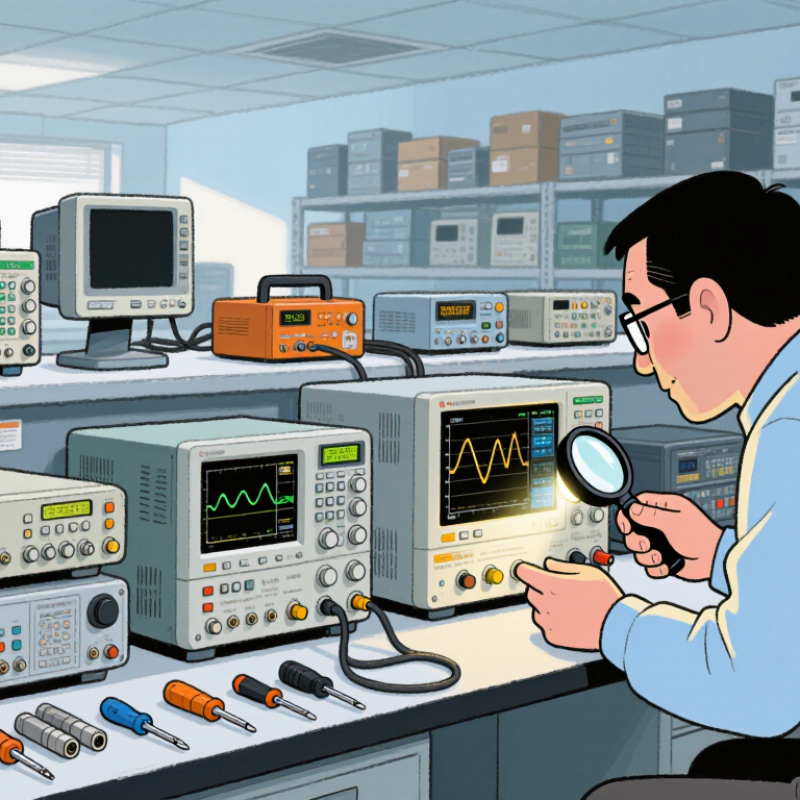
A careful review should include more than the display and front panel. Ask for clear photos of connectors, controls, and the serial-number label, then confirm that the unit powers on and completes its self-test. Inspect ports for bent pins or wear, and check whether accessories, licenses, and required software are included. These details affect setup time. Request recent calibration records when available, and confirm the service history with the seller. Calibration status does not guarantee performance, but missing records deserve follow-up.
If possible, test the unit with a known signal or arrange a demonstration. Verify key measurements against your own requirements, such as output power, modulation, or receiver sensitivity. Also check battery condition, firmware support, repair availability, and return terms. A tester may look sound yet have a failing connector or an option you need locked out. I would not assume that a familiar brand eliminates that risk. Compare the total cost of ownership, not just the asking price, and leave room for uncertainty when records are incomplete.
Define Your Testing Needs and Intended Applications
How to Choose a Used Communication Tester
Define Your Testing Needs and Intended Applications
Start with the signals you expect to measure. List the frequency range, bandwidth, modulation types, and power levels used in your work. A bench tester for checking radio transmitters may need different functions from a portable unit used for field troubleshooting. Include the connectors and accessories your setup requires. Small details matter: a missing adapter can delay a test, even when the instrument itself works well.
Match the tester’s functions to your actual tasks, such as measuring frequency error, output power, or modulation quality. Avoid paying for features you will rarely use, but leave room for future needs. It is easy to over-specify. Still, choosing a unit with too little bandwidth or an unsupported signal format can make routine checks difficult. For a used instrument, verify that its options are installed and that the display, controls, and ports respond consistently. Review its calibration history, too; a recent date alone does not prove every measurement is suitable for your tolerance requirements.
Tips: Write down three common tests and one demanding test before shopping. Check that the tester supports each one, and confirm required cables are included. When specifications are unclear, pause and verify them rather than assuming.
| Intended application | Signals and interfaces to consider | Useful capabilities | Checks before purchase | Practical verification |
|---|---|---|---|---|
| RF transmitter and receiver troubleshooting | Frequency range, supported modulation types, RF input and output connections, and permitted input power | Spectrum analysis, signal generation, frequency and power measurements, and modulation analysis where required | Confirm the frequency range and measurement limits cover the equipment under test; inspect connectors and verify that required options are installed | Measure a known signal or use a calibrated reference source; check that readings are stable and repeatable |
| Digital radio installation and maintenance | Supported radio standards, channel bandwidths, duplex modes, and relevant RF bands | Standard-specific transmitter tests, receiver sensitivity measurements, error-rate measurements, and call or link testing if needed | Check support for the exact standards and test modes used in your workflow; confirm accessories and test cables are available | Run a built-in self-test, then perform a representative test using a compatible radio or suitable test fixture |
| Cellular device or network testing | Required generations and bands, channel bandwidths, duplexing methods, and device connection method | RF measurements, signaling or non-signaling test modes, protocol support, and measurement reporting | Verify the installed software licenses, supported band combinations, and compatibility with the devices and test procedures in use | Review available test menus and software versions; confirm a representative measurement can be completed and exported |
| Fiber-optic and optical communication checks | Optical wavelength range, connector type, fiber type, and applicable data rates | Optical power measurement, loss testing, or bit-error testing when those functions are part of the intended task | Inspect optical ports for damage or contamination; verify included adapters, calibration status, and supported wavelengths | Clean connectors using appropriate procedures and compare a measurement against a known-good reference or calibrated source |
| Digital links and data-interface troubleshooting | Interface type, electrical levels, line rate, connector or probe requirements, and protocol format | Protocol decoding, timing analysis, error detection, or eye-pattern analysis as applicable to the interface | Check that probes, adapters, and software support the required interface and signal rate; confirm the unit can save results | Test with a known-good link or sample capture and verify that the displayed data and timestamps are consistent |
| General field service and bench diagnostics | Portability, battery type, power requirements, measurement range, and the connectors used by field equipment | Portable operation, clear status indicators, data logging, and straightforward report or file export | Assess display, keypad, controls, battery condition, charger, carrying case, and availability of manuals and service support | Inspect the enclosure and controls; power-cycle the tester, check battery operation, and verify storage and export functions |